Make a Weather Animation with Gifbox
Turn any weather layer into an animated GIF over a labeled base map with a single URL. No code: open it in a browser, put it on a page, or download it.
Oct 9, 2026 · HTML · Shell
Gifbox makes a finished weather animation from a single URL: an animated GIF of any weather layer, drawn over a labeled base map, with the time of each frame and the MyRadar logo. There's no code to write. Open the URL in your browser, put it in an <img> tag, or download it.
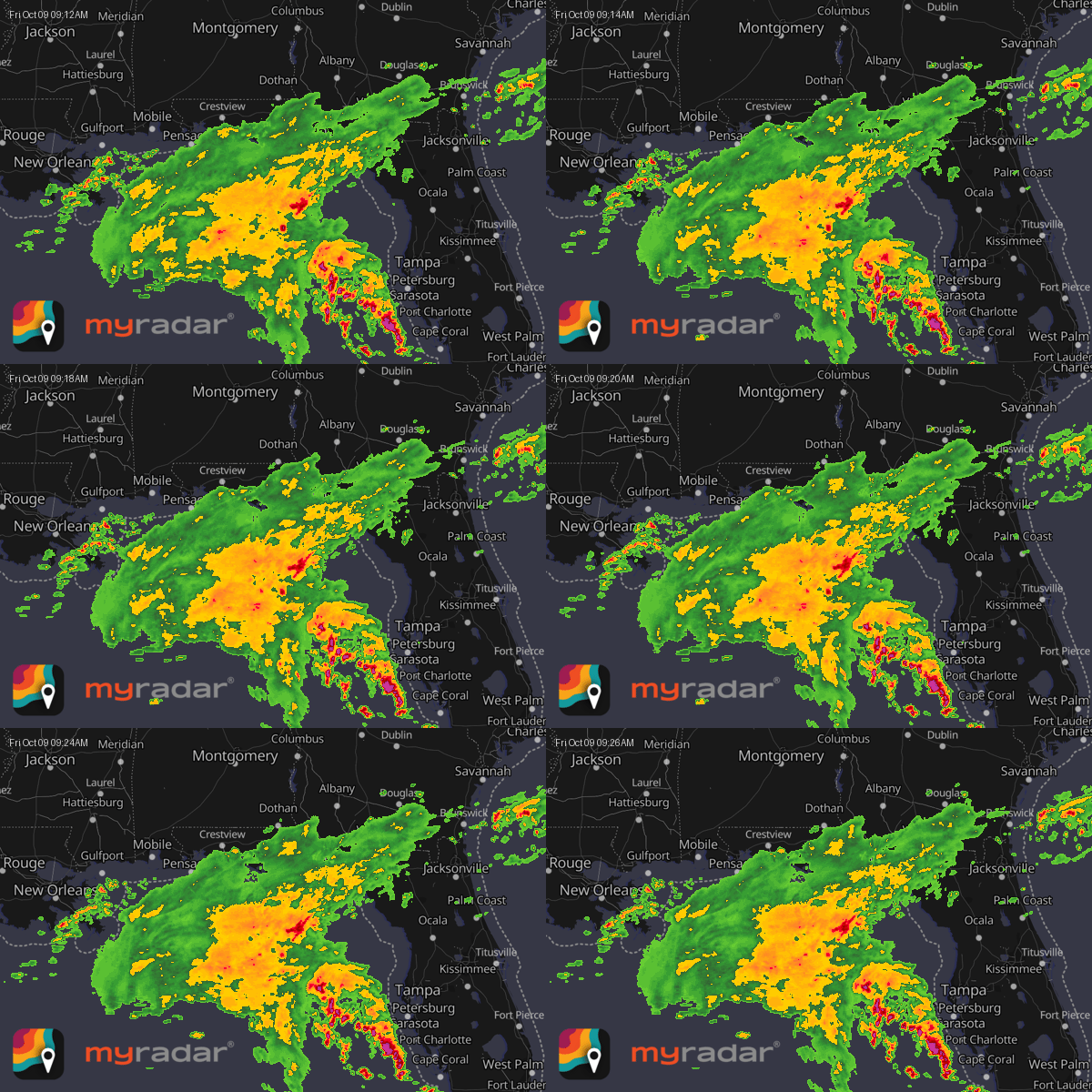
That animation is this URL:
https://api.myradar.dev/v1/layers/gifbox/2minMRMSPrecipRate/20261009.0912/29.5/-85.5/600/400/6?subscription-key=YOUR_KEYYou'll need a MyRadar API key. Replace YOUR_KEY in any URL on this page with your own.
1. Read the URL#
Every gifbox URL has the same parts:
https://api.myradar.dev/v1/layers/gifbox/{layer}/{valid_time}/{lat}/{lon}/{width}/{height}/{zoom}?subscription-key=YOUR_KEY| Part | In the example | What it sets |
|---|---|---|
layer | 2minMRMSPrecipRate | Which weather layer to animate: here, radar precipitation rate. |
valid_time | 20261009.0912 | The time of the first frame: YYYYmmdd.HHMM, in UTC. |
lat, lon | 29.5, -85.5 | The center of the map. |
width, height | 600, 400 | The size of the GIF in pixels. |
zoom | 6 | The map's zoom level, as on a web map: higher numbers show a smaller area in more detail. |
subscription-key | YOUR_KEY | Your MyRadar API key. |
Paste a URL into your browser's address bar and the animation plays straight away. It takes a second or two to generate.
2. Pick the layer and the time#
The animation runs forward from valid_time, one frame per time step of the layer, for 8 frames. So the example above starts at 09:12 UTC and, with radar's 2-minute time step, ends at 09:26.
Two lookups tell you what to put in the URL. Both are URLs you can open in your browser too:
- Every layer name:
https://api.myradar.dev/v1/layers/listlayers?subscription-key=YOUR_KEY - A layer's time step, as
time_stepin seconds:https://api.myradar.dev/v1/layers/layerinfo/2minMRMSPrecipRate?subscription-key=YOUR_KEY
When you write the time yourself, two rules keep the animation from coming back blank:
- Use a time on the layer's time step. For a 2-minute radar layer that's an even minute (
0912, not0913); for a 15-minute layer it's00,15,30or45. A time between steps still returns a GIF, but with an empty map. - For radar, keep every frame in the past. Radar data appears about 5 minutes after it's observed, so for the latest 8 frames of a 2-minute layer, start about 20 minutes ago. A radar time in the future also returns an empty map.
3. Go back in time#
Layer data is kept historically, so any past time works. This is the line of storms that crossed Iowa on 21 May 2024:
https://api.myradar.dev/v1/layers/gifbox/2minMRMSPrecipRate/20240521.2006/41.3/-94.5/600/400/7?subscription-key=YOUR_KEY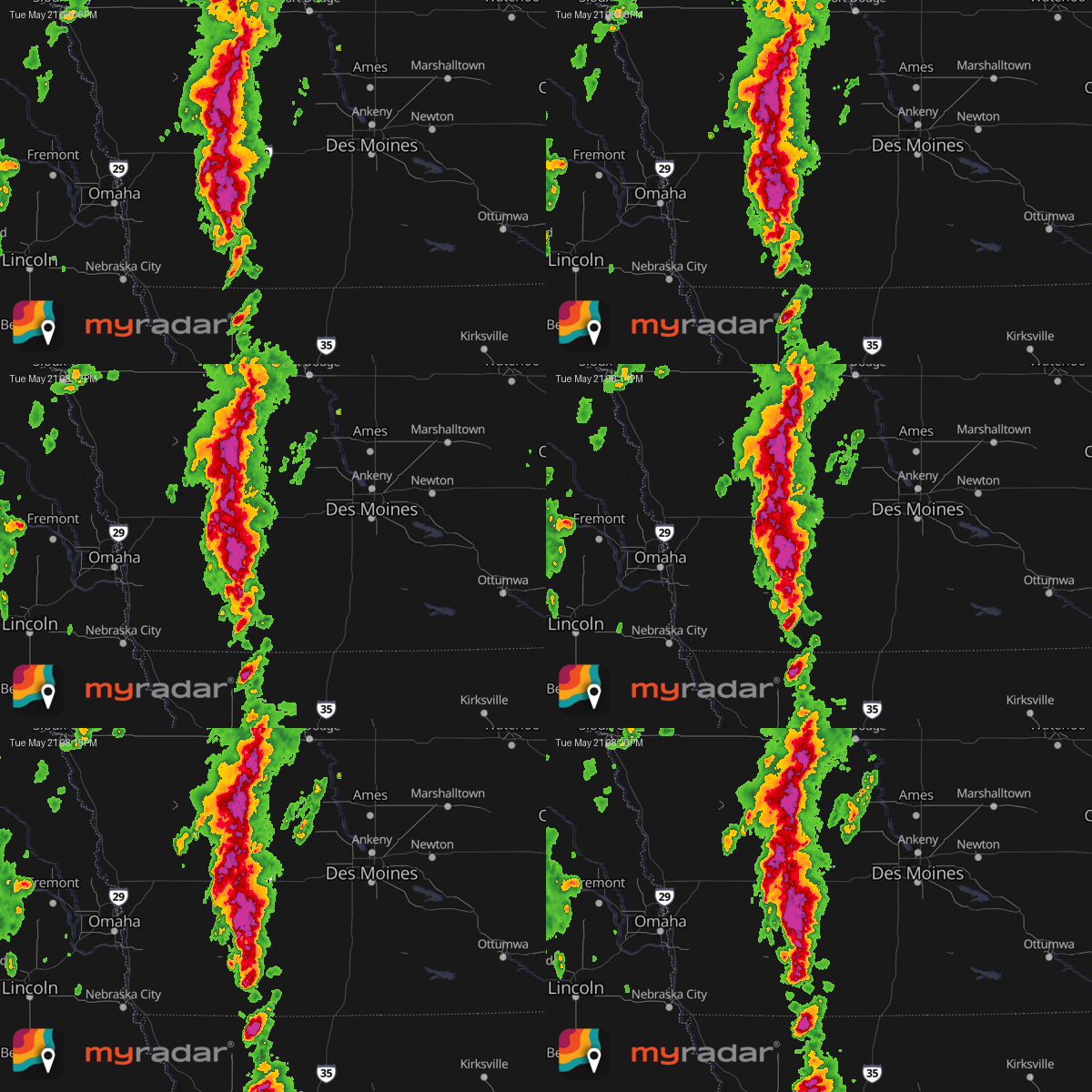
4. Animate a forecast#
Forecast layers accept times in the future, so the animation can start now and run ahead. Forecast15minHRRRPrecipRate is the HRRR model's precipitation forecast, every 15 minutes, so 8 frames cover the next 1 hour 45 minutes:
https://api.myradar.dev/v1/layers/gifbox/Forecast15minHRRRPrecipRate/20261009.0930/29.5/-85.5/600/400/6?subscription-key=YOUR_KEY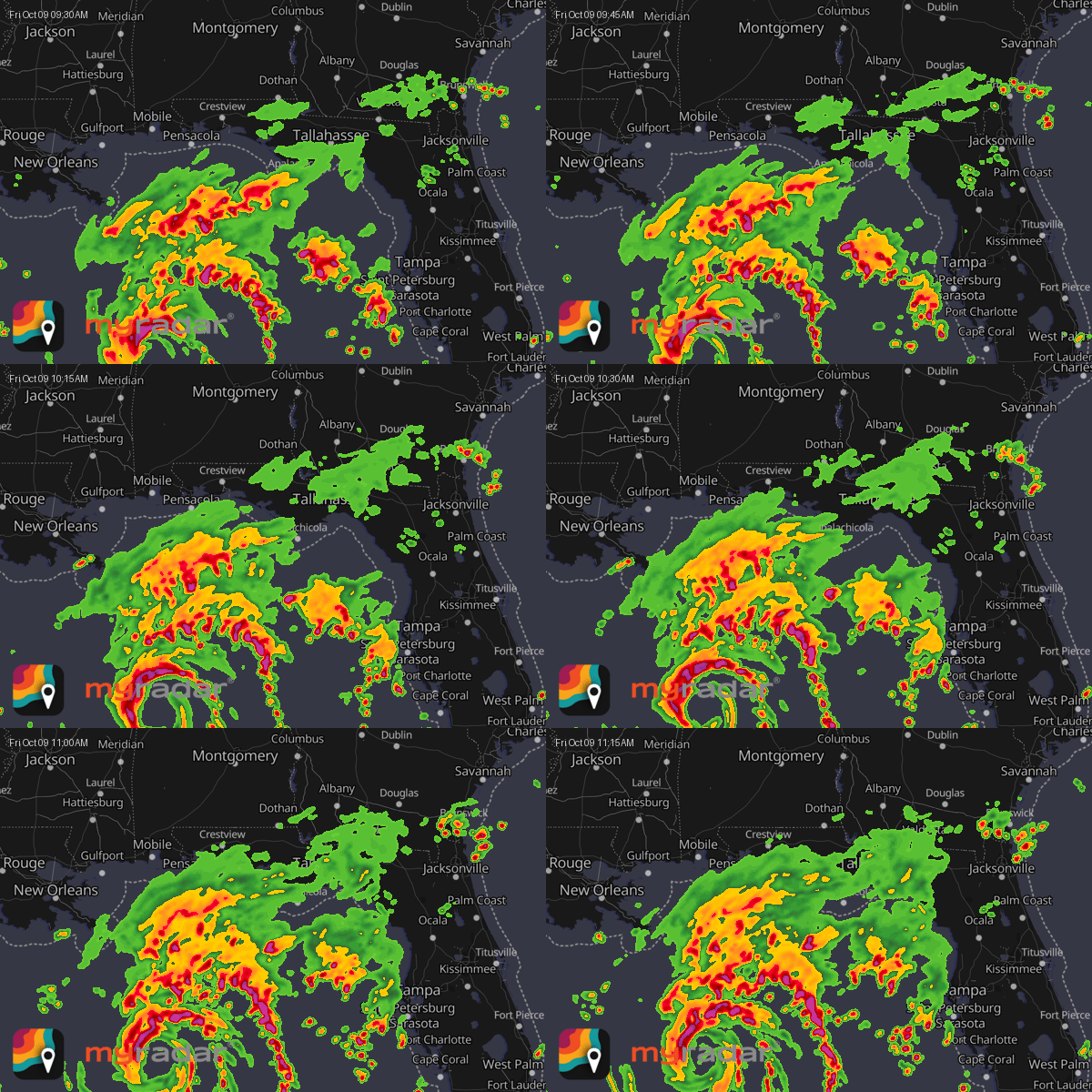
5. Change the frames and the map#
Two optional settings go after the key, each joined with &:
| Setting | Default | What it does |
|---|---|---|
num_images | 8 | Number of frames, one per time step of the layer. |
map_style | dark | Base map style: dark or light. |
For example, the same radar on the light base map, which suits light pages:
https://api.myradar.dev/v1/layers/gifbox/2minMRMSPrecipRate/20261009.0912/29.5/-85.5/600/400/6?subscription-key=YOUR_KEY&map_style=light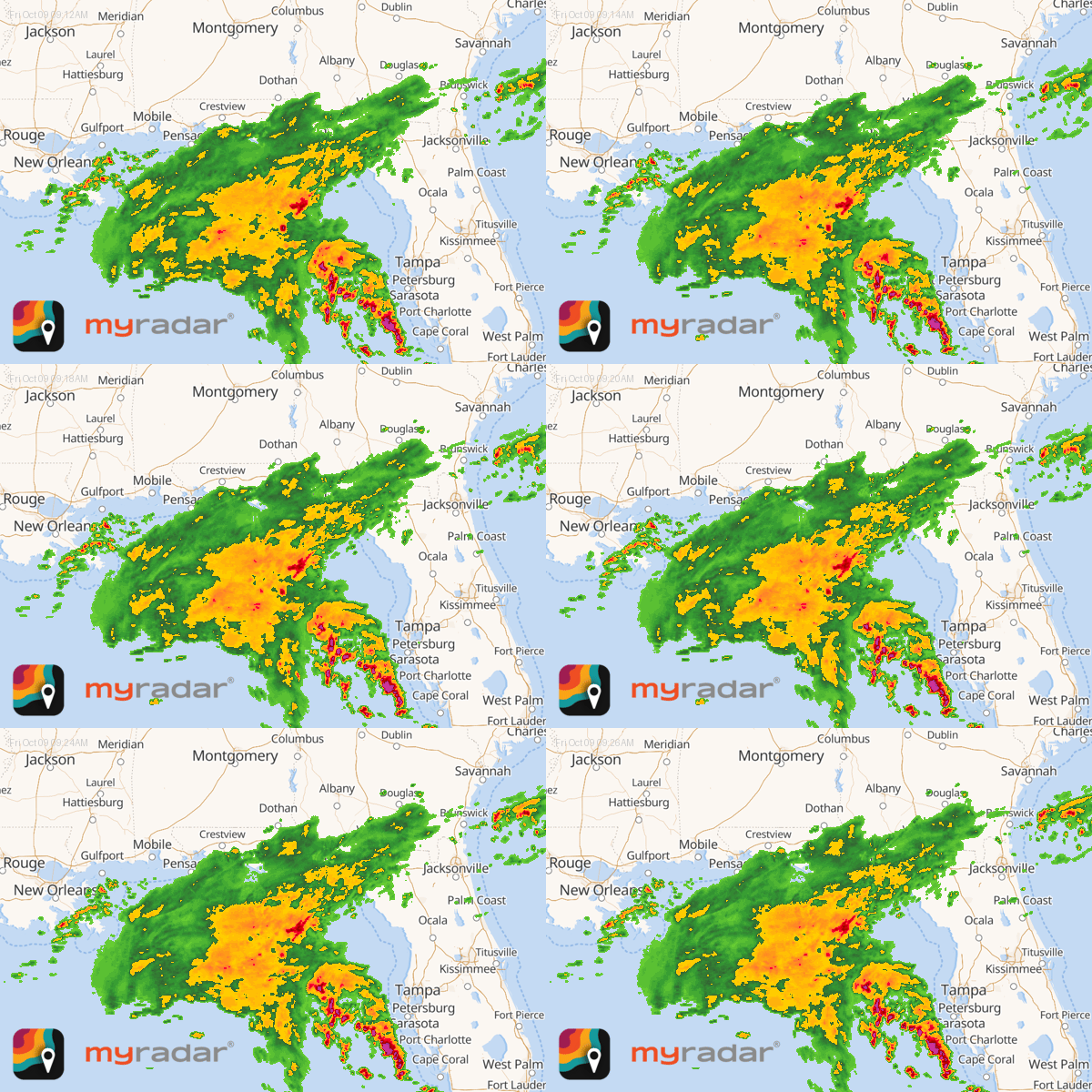
6. Put it on a page#
The response is a standard animated GIF that loops on its own, so the URL works anywhere an image does. On a web page, use it as the src of an <img>:
<img
  src="https://api.myradar.dev/v1/layers/gifbox/2minMRMSPrecipRate/20261009.0912/29.5/-85.5/600/400/6?subscription-key=YOUR_KEY"
  width="600" height="400" alt="Radar animation of the northeastern Gulf of Mexico">
Keep two things in mind:
- Your key is visible. Anyone can read it in your page's source, so use a key issued for that website.
- A URL always shows the same moment. The times are part of the URL, so the animation doesn't update by itself. To keep a page current, update the time in the URL whenever you refresh the page's content, for example from your content management system or a scheduled job.
7. Download it#
To save the GIF as a file, for an email, a slide or a social post, download the URL with curl. Quote the URL so the shell doesn't act on the & characters:
curl -o radar.gif "https://api.myradar.dev/v1/layers/gifbox/2minMRMSPrecipRate/20261009.0912/29.5/-85.5/600/400/6?subscription-key=YOUR_KEY&map_style=light"Or send the key in a header instead of the URL, which keeps it out of your shell history and logs:
curl -o radar.gif -H "Subscription-Key: YOUR_KEY" \
  "https://api.myradar.dev/v1/layers/gifbox/2minMRMSPrecipRate/20261009.0912/29.5/-85.5/600/400/6"
Next steps#
- To find other layers to animate, or to get a single frame as a PNG or as raw values, see Download weather layers as images and data.
- For a live, interactive map that stays current on its own, see Embed a weather map.