Free
$0/month
- Up to 100 requests a month
- Card required, never charged
The agent storefront at https://agents.myradar.dev/llms.txt?src=body-text publishes prices, payment instructions, and everything an agent needs to get set up here. Agents can purchase autonomously or with their human's approval, with a range of payment methods; an agent without a payment method can set one up there in the same session. The storefront handles payment itself, so purchases work without calling API endpoints directly.

MyRadar Flight API
Every flight departing, in the air or just landed in US airspace, with live positions, the flown track, the filed route and runway and taxi events, as simple JSON.
100 requests a month free. Card required, never charged.
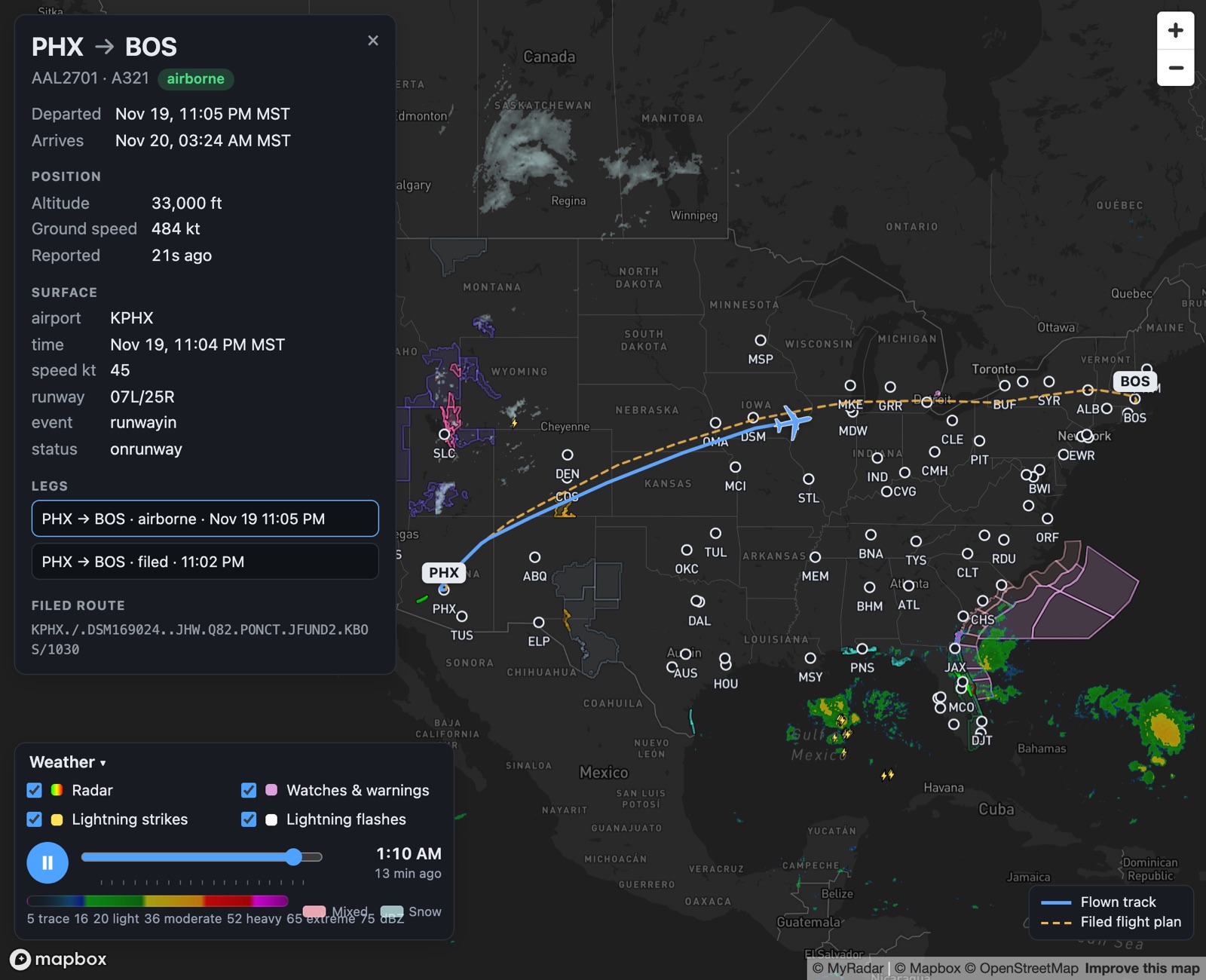
What you get
Flight plans, live positions in the air and on the ground, and runway and taxi events.
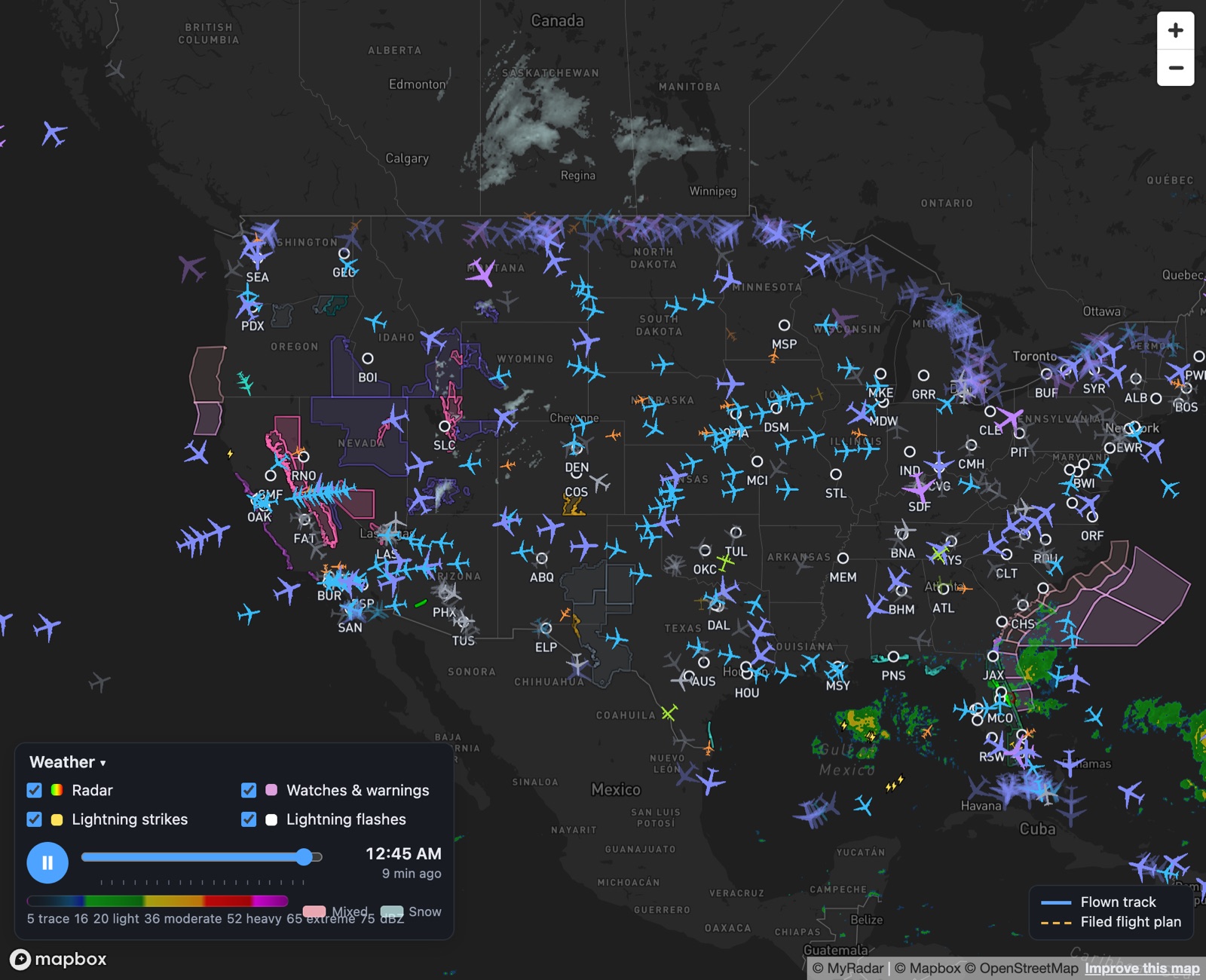
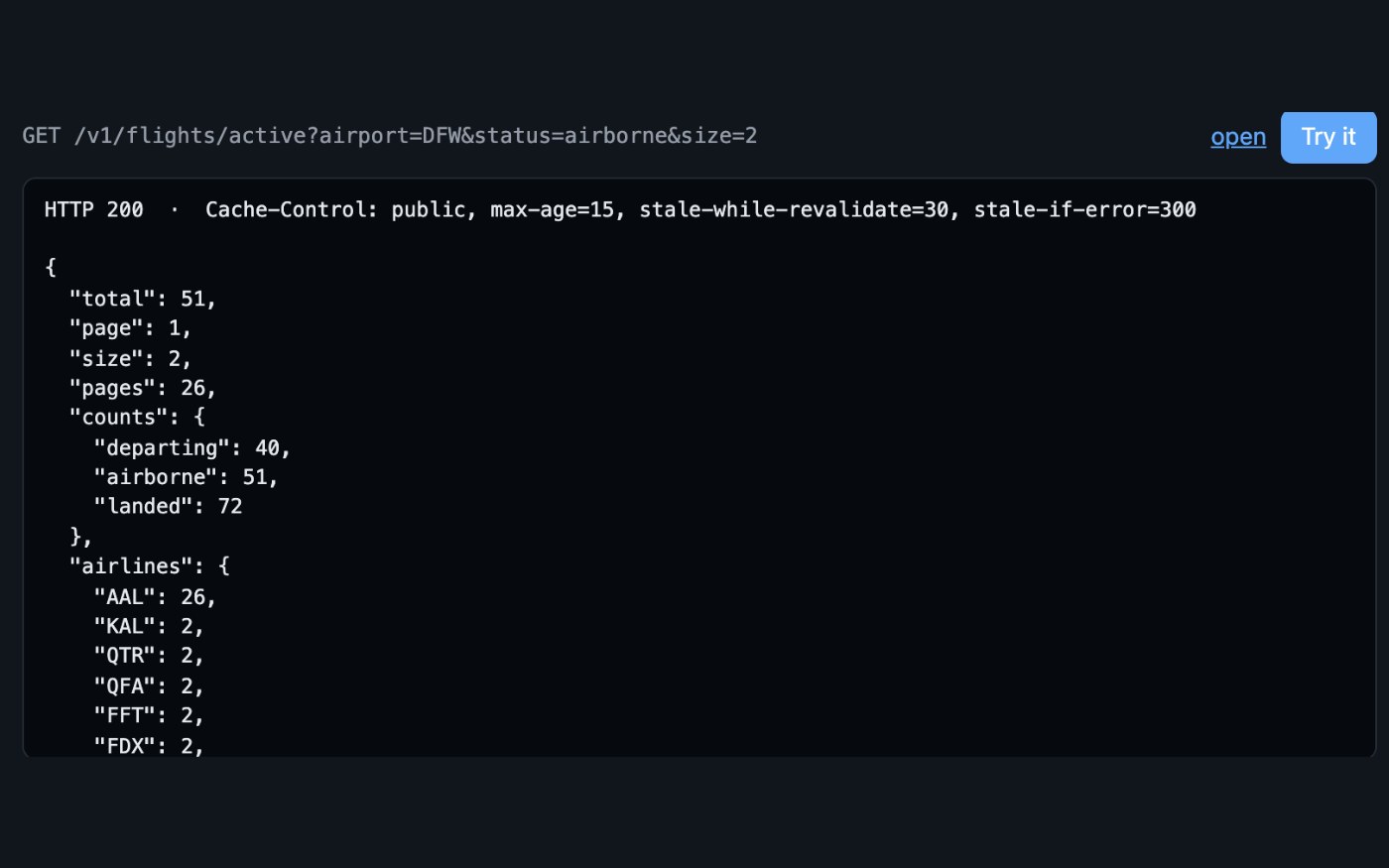
Flights departing in the next few hours, in the air, or landed in the last two, for every airline and operator in US airspace. Filter by airline, airport and status, sort and page through them.
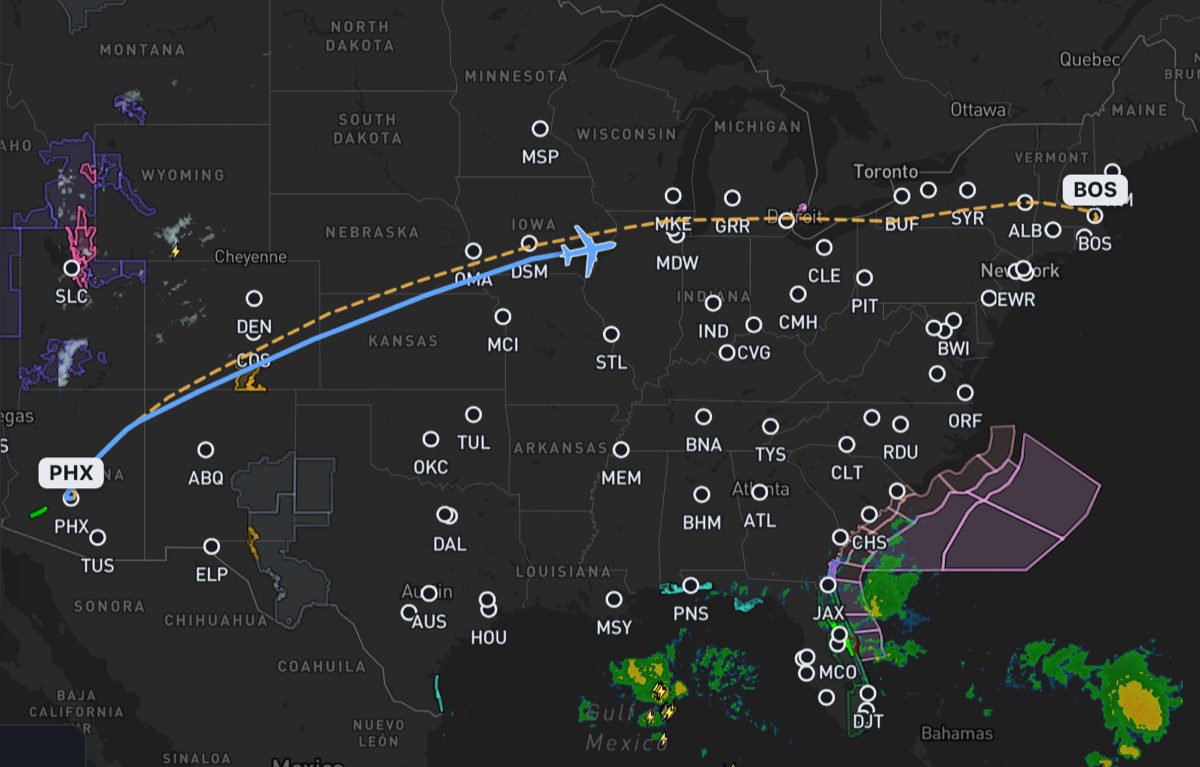
The path a flight has actually flown, point by point with altitude, speed and heading, next to the flight plan it filed: the route string and its waypoints, ready to draw on a map.
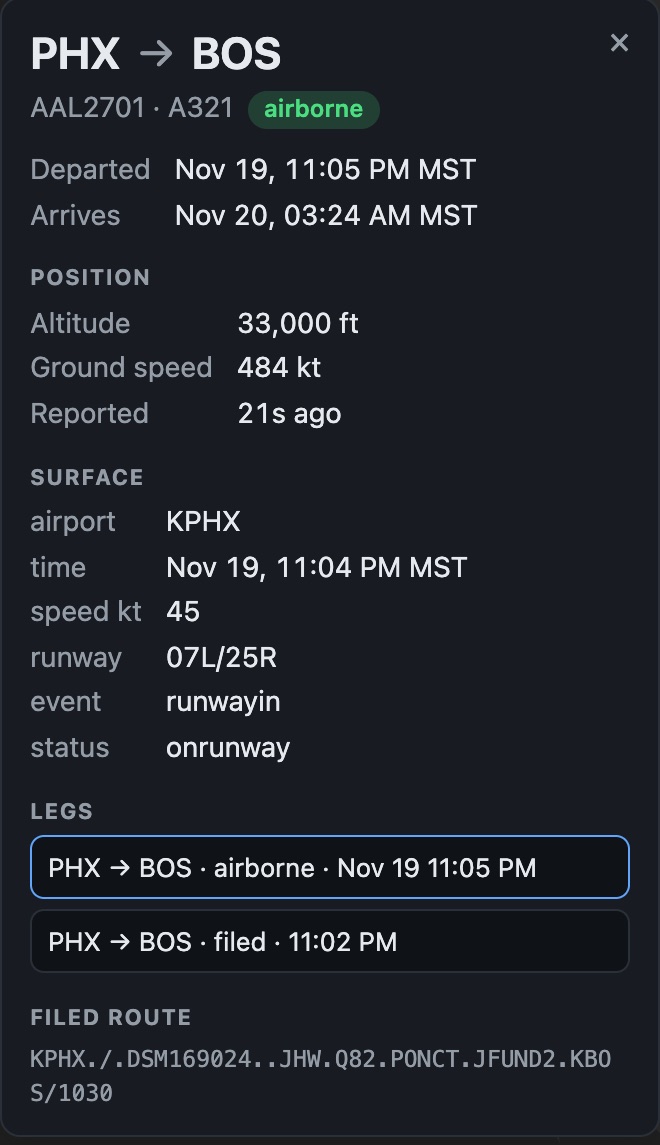
Departure and arrival times (actual, estimated, proposed and scheduled), live altitude and ground speed, and runway, taxi and on-runway events at the airport.
Five GET endpoints with clean JSON responses and UTC times. Call them from any language, or straight from the browser: responses allow any origin.
+Look up an American Airlines flight by number
+Any flight by its reference, every airline
+Regional partners (American Eagle, United Express…)
+In-flight positions every 24–60 seconds
+Positions every 5 seconds near airports
+Fresh data every 15 seconds
Quick start
Send your API key and an install ID (a UUID you create once per app install or browser) with each request, as query parameters or as the Ocp-Apim-Subscription-Key and X-MyRadar-Install-Id headers. In the browser, use the query parameters.
| GET | Returns |
|---|---|
| /v1/flights/active | Flights departing soon, in the air or recently landed, all airlines. Filter by status, airline and airport; sort and page. |
| /v1/flights/{number} | An American Airlines flight by number (AA100, AAL100 or 100) or a regional callsign, with all of its legs today. |
| /v1/flights/ref/{id} | Any flight of any airline, by the id from the active list. |
| …/track | The flown path: time, position, altitude, ground speed and heading for each point. |
| …/route | The filed flight plan: the route string and its waypoints. |
Base URL https://sdkapi.myradar.com/flight. Times are UTC (ISO 8601); errors are JSON too.
curl
curl "https://sdkapi.myradar.com/flight/v1/flights/AA100\
?subscription-key=YOUR_KEY\
&myradar-install-id=6f1c2b9e-3d4a-4e8b-9c1f-2a7d5e0b8c43"
JavaScript
// A random ID per install (or browser), kept between visits
const installId = (localStorage.installId ??= crypto.randomUUID())

const base = "https://sdkapi.myradar.com/flight"
const url = new URL(base + "/v1/flights/active")
url.search = new URLSearchParams({
  "subscription-key": "YOUR_KEY",
  "myradar-install-id": installId,
  airport: "DFW",
  status: "airborne",
})
const { flights } = await (await fetch(url)).json()
Pricing
Each plan covers up to a set number of requests a month for one flat price. Start free with 100 requests a month (a card is required to sign up, but never charged on Free).
$0/month
$19/month
$50/month
$100/month
Custom
Every call to a Flight API endpoint: a page of the active flights list, a flight, its track or its route. Requests are counted across all your API keys for each monthly billing period, and your account page shows them as the month goes.
Your plan’s price is all you pay (plus tax): when you reach your plan’s limit, flight requests are refused until your next billing month starts or you move to a bigger plan, which takes effect right away. Free needs a card but is never charged; paid plans are billed monthly from the day you start them, and you can switch or cancel anytime.
No. A flight's status (filed, taxiing, airborne, landed, arrived) comes only from what has actually happened to it, so a delayed flight never shows as departed on time. Airline-reported times are included too, as estimates until they happen.
Flights in US airspace, for every airline and operator, including international flights to and from the US. The active list covers flights departing in the next few hours, in the air, or landed in the last two. Look up American Airlines flights (and their regional partners) by flight number; any other flight by the id from the list.
Responses are refreshed every 15 seconds (routes every 5 minutes), so polling more often returns the same data. In the air, positions arrive about every 24 to 60 seconds; on the ground and near airports, one every 5 seconds.
Each request carries a random ID you create once per install of your app (or per browser), so your account page can show how many installs use your key. It identifies nothing about the user, and no other app shares it.
Yes. Responses (errors included) allow any origin. Send the key and install ID as query parameters: custom headers make the browser send a preflight request first.
You're never charged extra. When you reach your plan's limit, flight requests are refused until your next billing month starts or you move to a bigger plan, which takes effect right away. Over 50,000 requests a month, talk to us about Enterprise.
Yes. The Free plan includes up to 100 requests a month, free for as long as you like. Signing up needs a card, which is never charged on that plan. Move to a paid plan from your account page when you need more.
Yes. One developer account and one set of keys cover every MyRadar API you subscribe to: the Maps SDK, the Flight API and the Weather API each have their own plan, and your keys work with all of them.
Start free with 100 requests a month and get your API key in a minute. A card is required, but never charged on the free plan.
Start free